Block Blast

Block Blast
- Puzzle
- Block Blast
- Technology HTML5
- DeveloperHungry Studio
- PlatformAndroid, iPhone, and iPad
- ClassificationGames puzzle
Introduction
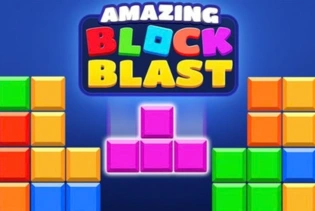
Block Blast is a casual block puzzle game from Hungry Studio. In Classic mode, you place shapes on an 8x8 board. Fill a full row or column to clear it and earn points. The run continues until none of the available pieces fits. There is no main timer, so you can study the board before each move.
The official Block Blast! app is available for Android, iPhone, and iPad. It is free to download and includes ads and in-app purchases. An official Hungry Studio browser version has not been confirmed. A website using the same name may offer a different game or an unofficial copy. Check that Hungry Studio is listed as the developer when downloading the mobile app from Google Play or the Apple App Store.
Gameplay
Classic mode uses an 8x8 grid. You receive a set of three shapes below the board. Drag one onto empty cells to place it. The whole shape must fit inside the grid, and it cannot cover blocks that are already there.
Complete every cell in a horizontal row or vertical column to clear that line. One move can clear more than one line. After all three shapes have been used, a new set appears. Your goal is to keep making room and raise your score.
The game ends when none of the available shapes can fit. This may happen while the board still has empty cells. Small holes and broken gaps are not useful unless they match one of the current pieces.
Pieces cannot normally be turned. Their fixed shapes make planning important. A move may clear a line now but leave a gap that is hard to fill later.
How to Play
Check all three shapes before making a move. Start with the piece that has the fewest safe places, but also check whether the other two will still fit afterward.
The order matters. A small piece may complete a line and open space for a larger one. In another set, placing the large or awkward shape first may be safer. Think through each placement before releasing a piece.
Try to keep a large open area on the board. Long pieces and big squares need clear space. Avoid single-cell holes, narrow pockets, and scattered gaps that few shapes can fill.
After a line clears, look at the board again. The new space may give the remaining pieces better placements. Normal play does not force you to rush.
Controls
- Mobile: Touch and drag a piece toward the board.
- Place a piece: Release it when the full shape is over valid empty cells.
- Rotation: Pieces cannot normally be rotated by the player.
Game Modes
Classic mode is an endless, score-based game. Place pieces, clear lines, and keep playing until none of the current shapes fits.
Adventure mode uses staged puzzle progress instead of one endless run. Its challenges and content may differ by app version, device, or region.
Planning Each Set
Treat each group of three pieces as one puzzle. Do not choose the first move only because it scores. Make sure the full set has enough room.
An awkward shape may have one safe spot, while a small square may fit in several places. Placing the awkward one first can protect the run. However, a small piece should go first if it clears a line and creates the space needed for a larger shape.
Picture the board after each planned move. If the last piece becomes trapped, test a different order before placing anything.
Board and Score Tips
Protect open space. One wide area is often more useful than many small gaps. It gives large or long shapes more places to fit.
Watch for enclosed holes. A single empty cell surrounded by blocks is difficult to fix. Thin cavities can cause the same problem because few shapes fit inside them.
Clearing a line quickly is often safer than building a large setup. You can delay a clear to prepare several lines or continue a combo, but only if every visible piece still has a legal place.
Block Blast awards points for clearing horizontal and vertical lines. Clearing several lines in one move and making clears on consecutive moves can be worth more. The full official scoring formula is not publicly documented, and scoring details may vary by mode or app version.
For longer runs, put survival before short-term points. Check the whole set, save room for large shapes, and avoid splitting the board into tiny pockets.
Official App and Online Versions
The official Block Blast! app from Hungry Studio is listed on Google Play and the Apple App Store. It supports Android, iPhone, and iPad. The app is free to download and includes ads and in-app purchases. Store details may vary by device, version, or region.
Core puzzle play can work offline, though online features may need a connection. Block Blast is mainly a single-player puzzle game. The available official information does not confirm live multiplayer.
No authorized Hungry Studio browser edition has been confirmed. Sites offering Block Blast in a browser or on PC may host a separate game with similar rules. Check the developer name on a trusted app store if you want the official mobile release.
FAQ
Can you rotate blocks in Block Blast? No. In normal play, pieces cannot be rotated. You must place each shape in the direction shown.
Why can the game end when empty cells remain? The run ends when none of the available pieces has a legal placement. Empty cells may still be on the board, but their spaces may not match the current shapes.
Is Block Blast free, and does it work offline? The official mobile app is free to download and includes ads and in-app purchases. Core puzzle play can work offline, but online features may require an internet connection.
Is there an official Block Blast browser version? An authorized Hungry Studio browser version has not been confirmed. Browser games using the name may be separate titles or unofficial copies. The official mobile app lists Hungry Studio as its developer.


Comments (0)